Discuss work with your own team and keep the relevant record close to the conversation.
Keep the source record, responsible people and next operating decision connected in your own workspace.
7 days free · No card required · Your own workspace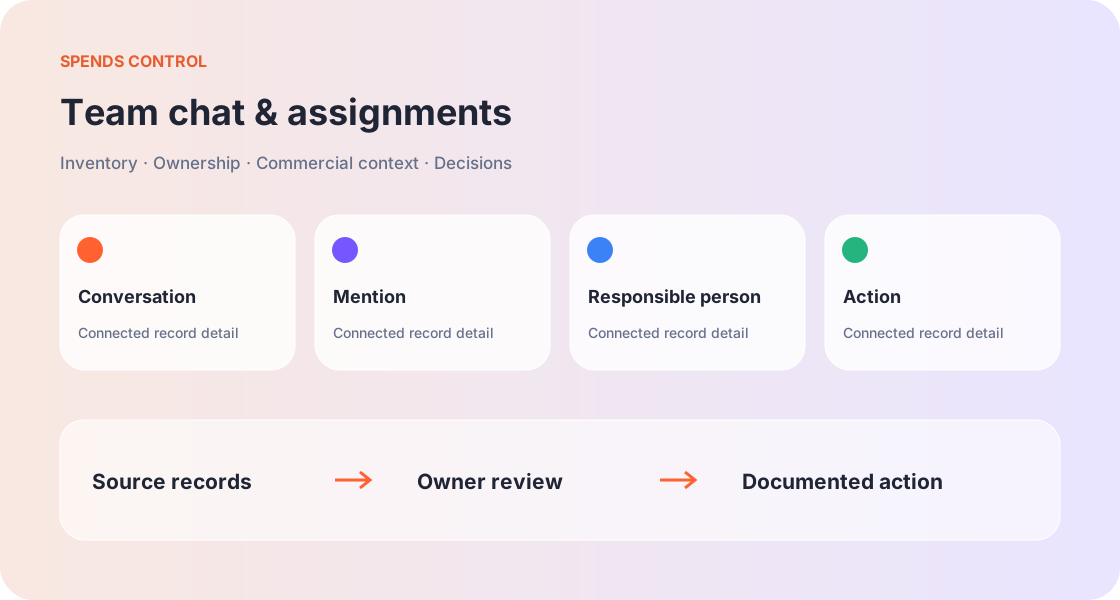
A conversation with your team
Team chat supports internal discussion about workspace records and responsibilities. It is not a customer support robot. Use the conversation to explain the next action and identify the colleague responsible for supplying information or completing the work.
Mention records and people
Use mentions to bring the relevant person or record into the discussion. A linked record provides context that a copied name or isolated screenshot cannot. Access permissions still matter; mentioning an item does not justify exposing its protected credentials.
Assign an item with a clear task
An assignment should explain what needs to happen, the responsible person and the relevant deadline. A record owner and a task assignee may have different roles. Confirm authority before asking a teammate to change a service or approve a cost.
Mobile conversation focus
Select a conversation to read and respond, then return to the conversation list when switching context. A focused chat flow helps users avoid confusing a record preview with the message they are composing. Review mentions before sending.
Keep discussion and decisions connected
A chat acknowledgement is useful context but should not silently replace a formal approval or recorded renewal decision. Update the relevant workflow once the authorised action is complete so the inventory reflects what the team actually agreed.
Begin with the operating question
The purpose of team chat & assignments is to help you discuss work with your own team and keep the relevant record close to the conversation. Start by describing the decision you need to make rather than entering records without a review purpose. A useful example is a review of conversation, mention, responsible person, action for an asset with a named owner. That scenario gives the team a concrete reason to collect accurate information.
Collect the information that changes the decision
Focus on Conversation, Mention, Responsible person, Action. These details give a reviewer enough context to verify the record and ask a specific next question. Unknown values should remain visible as information gaps. Guessing a number, date or relationship can make a subsequent cost or ownership review look more certain than it is.
Make the responsible roles explicit
For team chat & assignments, the person supplying information may be different from the person approving a change. The operating scenario involving a review of conversation, mention, responsible person, action for an asset with a named owner shows why those roles matter. Name the operating owner, identify the decision authority and grant access according to the actual work instead of assuming every teammate needs full workspace access.
Connect the source records
Use related inventory, supplier, transaction and lifecycle information when it supports the aim to discuss work with your own team and keep the relevant record close to the conversation. A relationship should describe what the team has verified. Similar names, old notes or a blank field are not proof that services are connected or unnecessary. Keep the current record close to its commercial context.
Team chat & assignments questions
How does team chat connect discussions to operating records?
Team chat supports internal discussion about workspace records and responsibilities. It is not a customer support robot. Use the conversation to explain the next action and identify the colleague responsible for supplying information or completing the work. Choose the teammate who owns the action.
How can an @ mention identify a person or an item?
Use mentions to bring the relevant person or record into the discussion. A linked record provides context that a copied name or isolated screenshot cannot. Access permissions still matter; mentioning an item does not justify exposing its protected credentials. Reference the record rather than copy sensitive fields.
What should an assigned task include?
An assignment should explain what needs to happen, the responsible person and the relevant deadline. A record owner and a task assignee may have different roles. Confirm authority before asking a teammate to change a service or approve a cost. State the expected outcome in the conversation.
How does mobile team chat keep a conversation focused?
Select a conversation to read and respond, then return to the conversation list when switching context. A focused chat flow helps users avoid confusing a record preview with the message they are composing. Review mentions before sending. Check the recipient and referenced item.
Where should a final approval or review decision be recorded?
A chat acknowledgement is useful context but should not silently replace a formal approval or recorded renewal decision. Update the relevant workflow once the authorised action is complete so the inventory reflects what the team actually agreed. Record the outcome in the source section.
Bring your digital assets into focus.
Start with seven days to organise the services, costs and responsibilities your team depends on.
No card required. Your trial expiry stays visible in your profile.