
Keep signed agreement terms, obligations and cancellation windows connected to their services.
Keep the source record, responsible people and next operating decision connected in your own workspace.
7 days free · No card required · Your own workspace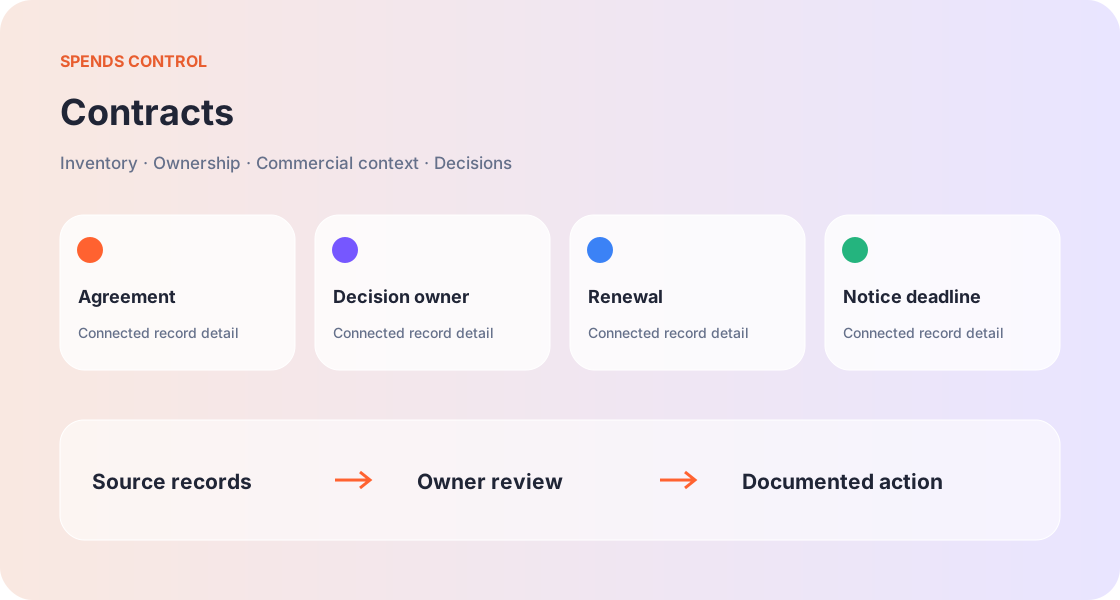
Agreement terms next to the service
Connect the supplier and application to a contract with value, status, renewal date and supporting context. A shared folder alone does not tell the next reviewer which service depends on the agreement or who can authorise a change.
The cancellation window
Renewal and cancellation dates are different. An agreement renewing in November might require notice in October. Record both dates and verify the notice method, responsible person and commercial consequences before treating a cancellation as complete.
Auto-renewal is a decision point
An automatic renewal should still receive a deliberate review. Confirm business need, expected capacity and the latest commercial offer. A useful review records a decision and owner, while a passive status label can leave the next charge unexplained.
Negotiation evidence
Keep the current commitment, requested price and actual offer distinct. A target discount is an objective, not a realised saving. Attach the reasoning to the opportunity and update the expected cost only when the supplier confirms the revised terms.
A handover that survives staff changes
The next owner needs the agreement, notice deadline, supplier contact context and outstanding decision. Preserve this connected story rather than handing over an isolated renewal reminder. Access to credentials should follow the workspace permissions.
Begin with the operating question
The purpose of contracts is to help you keep signed agreement terms, obligations and cancellation windows connected to their services. Start by describing the decision you need to make rather than entering records without a review purpose. A useful example is a review of agreement, decision owner, renewal, notice deadline for an asset with a named owner. That scenario gives the team a concrete reason to collect accurate information.
Collect the information that changes the decision
Focus on Agreement, Decision owner, Renewal, Notice deadline. These details give a reviewer enough context to verify the record and ask a specific next question. Unknown values should remain visible as information gaps. Guessing a number, date or relationship can make a subsequent cost or ownership review look more certain than it is.
Make the responsible roles explicit
For contracts, the person supplying information may be different from the person approving a change. The operating scenario involving a review of agreement, decision owner, renewal, notice deadline for an asset with a named owner shows why those roles matter. Name the operating owner, identify the decision authority and grant access according to the actual work instead of assuming every teammate needs full workspace access.
Connect the source records
Use related inventory, supplier, transaction and lifecycle information when it supports the aim to keep signed agreement terms, obligations and cancellation windows connected to their services. A relationship should describe what the team has verified. Similar names, old notes or a blank field are not proof that services are connected or unnecessary. Keep the current record close to its commercial context.
Contracts questions
Which agreement details belong in a contract record?
Connect the supplier and application to a contract with value, status, renewal date and supporting context. A shared folder alone does not tell the next reviewer which service depends on the agreement or who can authorise a change. Check the signed agreement before relying on a date.
How do I track a contract cancellation notice period?
Renewal and cancellation dates are different. An agreement renewing in November might require notice in October. Record both dates and verify the notice method, responsible person and commercial consequences before treating a cancellation as complete. Set the internal decision before the notice deadline.
How should an automatic contract renewal be reviewed?
An automatic renewal should still receive a deliberate review. Confirm business need, expected capacity and the latest commercial offer. A useful review records a decision and owner, while a passive status label can leave the next charge unexplained. Choose renew, negotiate, replace or retire.
What evidence supports a supplier price negotiation?
Keep the current commitment, requested price and actual offer distinct. A target discount is an objective, not a realised saving. Attach the reasoning to the opportunity and update the expected cost only when the supplier confirms the revised terms. Preserve the accepted offer and effective date.
How do I hand over responsibility for a supplier agreement?
The next owner needs the agreement, notice deadline, supplier contact context and outstanding decision. Preserve this connected story rather than handing over an isolated renewal reminder. Access to credentials should follow the workspace permissions. Assign an accountable person to the next action.
Bring your digital assets into focus.
Start with seven days to organise the services, costs and responsibilities your team depends on.
No card required. Your trial expiry stays visible in your profile.